

 1 Citrine Gem
Hi! Today, we will follow up on the task we started when we prompted our followers to ask us any questions under the post.
Let’s make a video reply using your phone. Here is how you do it step by step.
Step 1: Go to the TikTok banner with followers’ questions
Find replies in the comment section as shown below
Step 2: Click on reply under the comment you want to start with
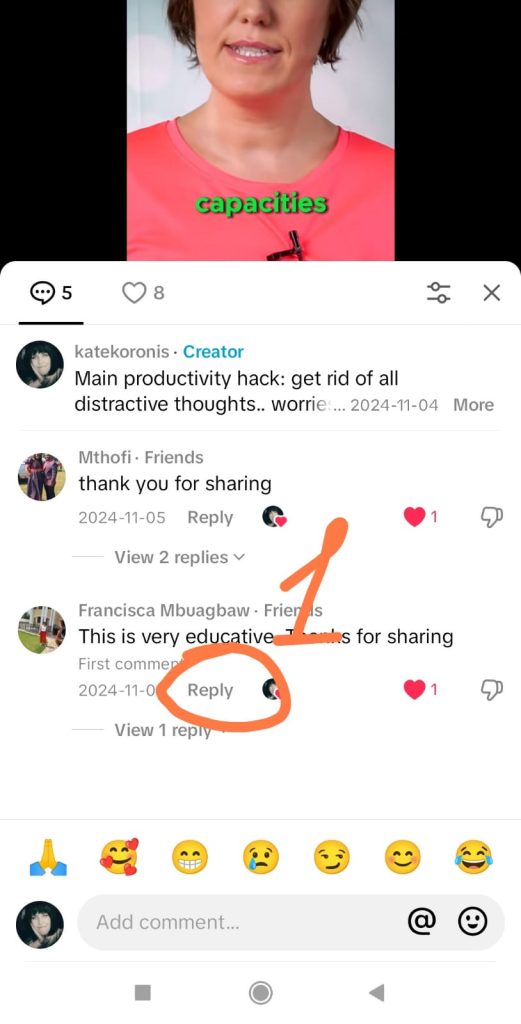
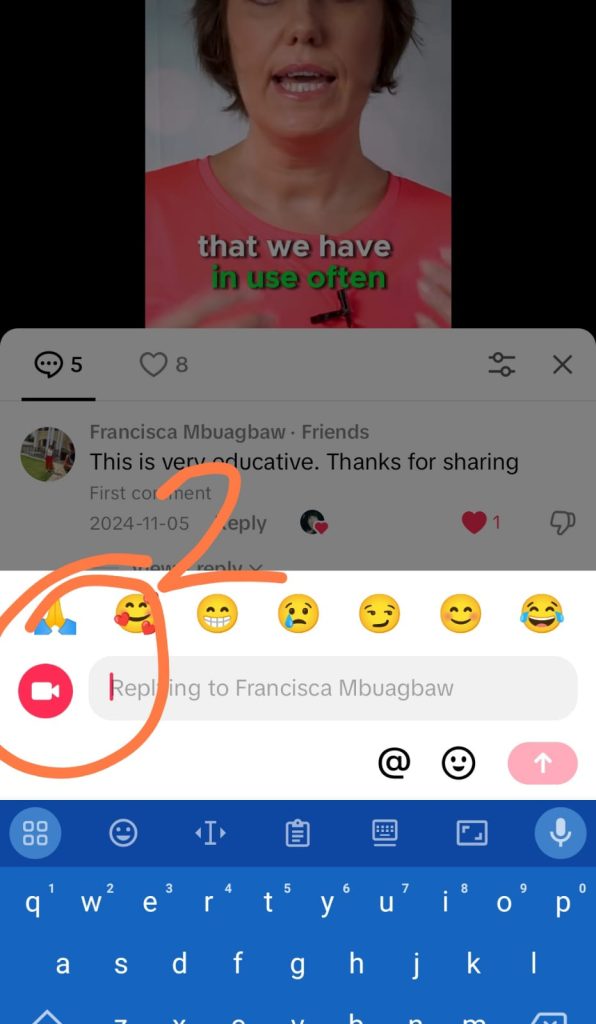
Step 3: Click on the camera button to open the TikTok camera
Step 4: Increase the time of your video from 15 seconds to 60 or more if you need, so that you have enough time to respond.
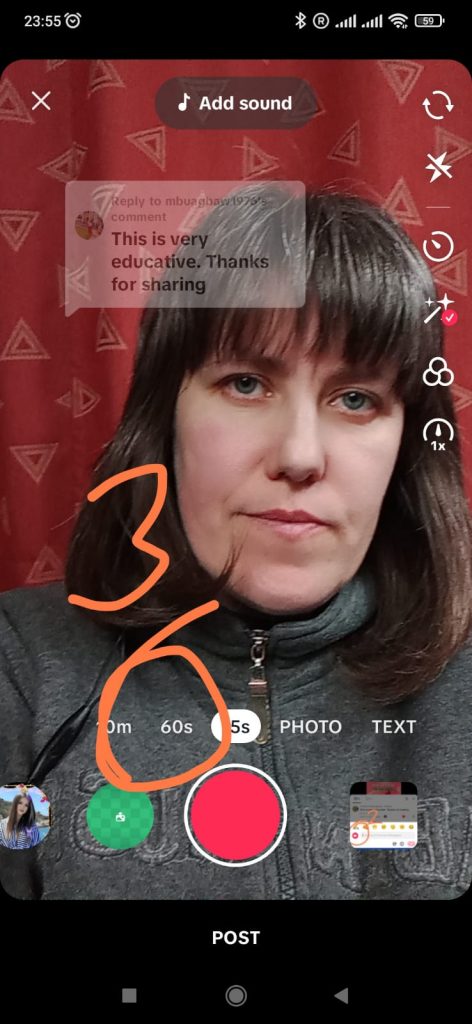
Step 5: Prepare your reel for recording with the following
- Move the question in the text box down so that your face will be visible
- Press the record button every time you talk, release when you need to make a pause, and press record again to add more to your reply. (You don’t need to do it all in one take)
1 Step
- Reply to the questions in Instagram using Video reply in comments function